
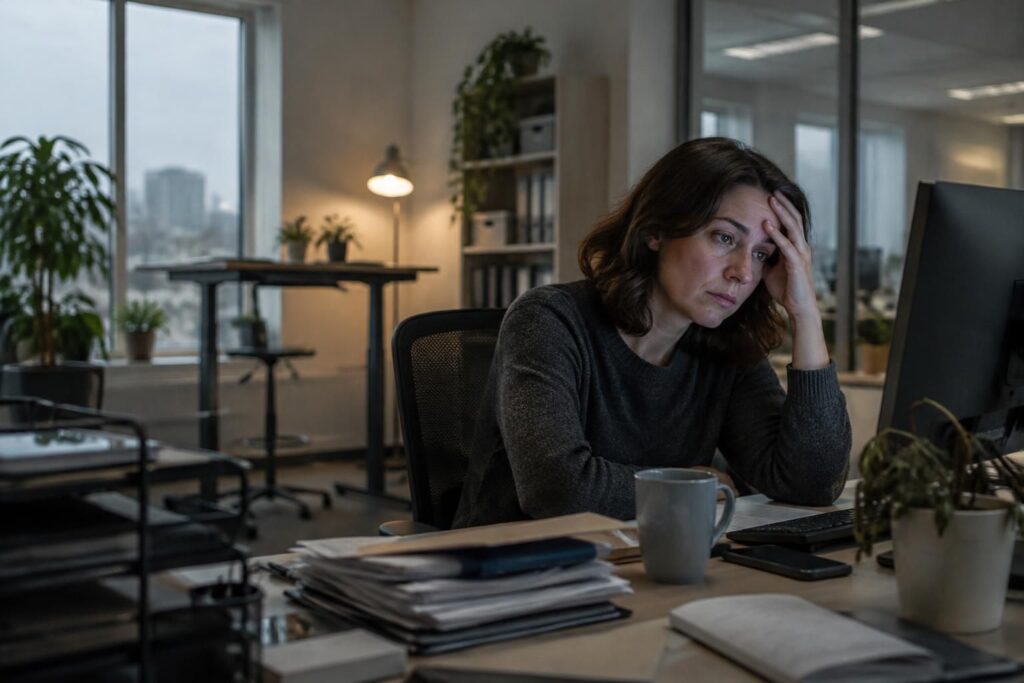
Hi, it’s Patrick.
Yes, a poorly lit, noisy, or poorly ventilated workspace can contribute to your fatigue and drain your energy.
Your health at work also depends on your work environment: a few simple adjustments can improve your comfort and well-being. Before reorganizing everything, identify what is really weighing on your days.
Things to do right away
- Air out the room for a few minutes, if conditions allow.
- Adjust your lighting to reduce glare and overly dark areas.
- Adjust your chair and screen to maintain a comfortable posture.
- Move away from sources of noise or use a solution suited to your environment.
- Take a short break to move around and rest your eyes.
If the fatigue persists, also look at air quality at work and the factors described in this article about what can make work exhausting.
Workspace pitfalls that quietly wear you down
An uncomfortable workstation doesn’t always cause immediate pain. However, a chair that’s too low, a poorly positioned screen, or harsh lighting can require small amounts of effort throughout the day.
Constant noise and poor ventilation can also make it harder to concentrate. The effect varies from person to person and place to place, but if you regularly end your days feeling drained, your environment is worth examining.
Comfort, light, and air: three practical ways to make a difference
Ergonomics starts with an easy adjustment: position your screen at a height that prevents you from constantly tilting your head, then move frequently used items closer. You don’t need expensive equipment to reduce some of the strain.
For lighting, aim for enough light without direct glare on the screen. If the air feels stuffy, air out the room when possible and report ongoing problems to the person in charge of the space: a closed window or a faulty ventilation system can’t always be fixed on your own.
Identify what’s draining your energy
Take Samira, for example. She works for several hours at a screen set up near a very bright window. She squints, leans forward, and feels tension by the end of the day: moving the screen and dimming the light can already reduce this strain.
Stress matters too. A shared space without a quiet corner can lead to more frequent interruptions; the environment doesn’t explain everything, but it can amplify mental strain.
| What you notice | Possible cause | First adjustment |
|---|---|---|
| Tired eyes or glare | Direct lighting or a poorly positioned screen | Change the screen angle and dim the light |
| Stiffness in your neck or back | Poorly adjusted workstation or prolonged posture | Adjust your chair, screen, and foot position |
| Difficulty concentrating | Noise, interruptions, or stale air | Reduce distractions and air out the room if possible |
| Low energy at the end of the day | A combination of factors or a demanding pace | Note when you feel tired and take breaks |
A three-step approach to improving your work environment
Changing several things at once makes it hard to know what’s helping. Take it step by step: you’ll be better able to identify useful adjustments and explain them if you need to request accommodations.
- Observe for a few days. Note when the fatigue sets in, what tasks you’re doing, and the noise and lighting levels.
- Change one factor at a time. Start by adjusting your screen, taking regular breaks, or managing glare more effectively.
- Assess the impact after a week. If the problem persists or gets worse, talk to your employer or an occupational health professional.
This approach is no substitute for medical advice if you have persistent symptoms. However, it can help you distinguish temporary discomfort from a problem that deserves closer attention.
Frequently asked questions about office fatigue
Can poor lighting really make you tired?
Yes. Glare, lighting that is too dim, or lighting that is too bright can increase eye strain. Adjust the screen angle and lighting, then see whether this improves your comfort.
How can I tell if my workstation is not ergonomic?
Look for recurring aches or tension, forced postures, and items that are difficult to reach. Adjusting your chair, screen, and keyboard can reduce some of the strain.
What should I do if the air in my office seems poor?
Air out the room when possible and report persistent odors, excessive heat, or ventilation problems to the person in charge of the space. If your symptoms persist, seek advice from a health professional.
Do breaks help preserve your energy?
Short breaks to move around and rest your eyes can interrupt prolonged periods in the same posture. Their effect depends on the work and the person, but they’re a simple habit worth trying.
I hope you found these tips helpful. See you soon! — Patrick
