
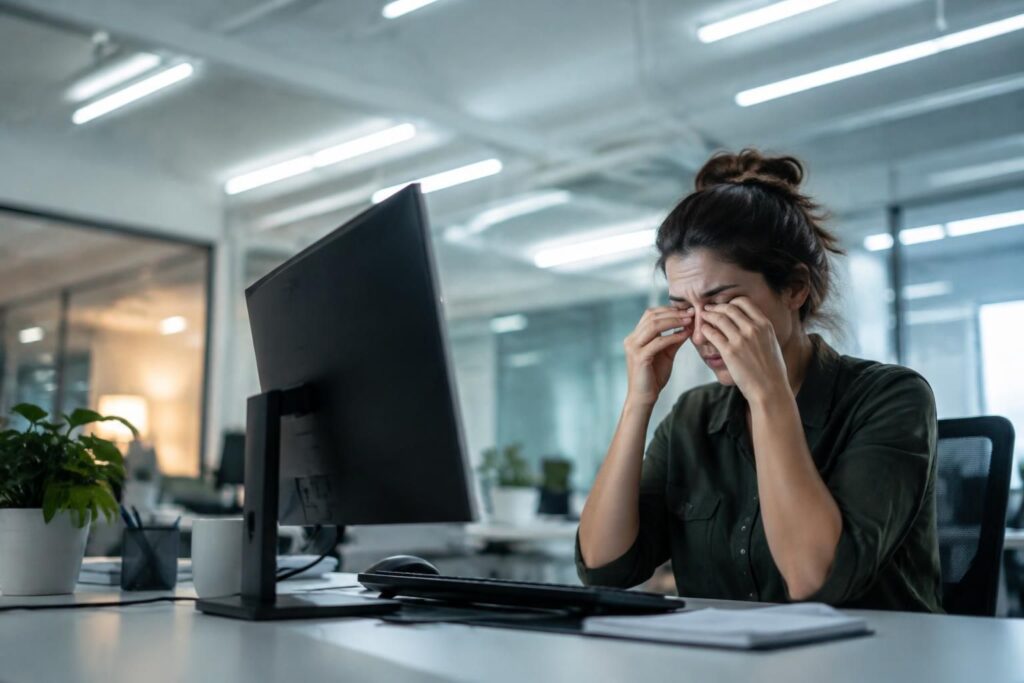
Hi, Patrick here. To relieve tired eyes and a foggy mind, reduce glare, position your screen perpendicular to the window, and set up soft lighting suited to your task. Harsh lighting quickly causes fatigue: it can also make it harder to concentrate and make movements less safe. A few simple adjustments often improve visual comfort, both at work and at home.
Things to do right away:
- Move the lamp out of your direct field of vision.
- Position your screen sideways to the window to limit reflections.
- Clean the light fixtures and check that they are still providing adequate light.
- Avoid stark contrasts between a very bright screen and a dark room.
- Take a short break regularly and look into the distance.
If the lighting in your office is tiring you out, these tips on how to spot an office that silently wears you down can help you find the source of the problem. To better understand the link between concentration and your environment, also find out how your environment affects mental energy.
Harsh lighting: why your eyes feel tired
Light helps you read, spot obstacles, and perform precise movements. But when it is too bright, too dim, or poorly positioned, your eyes have to keep adjusting. This can contribute to eye strain, headaches, or temporary blurred vision.
At work, poor lighting can also make you lean toward your screen or turn your neck to avoid reflections. Over time, these adjustments reduce comfort and can contribute to back or neck pain. Well-being at work also depends on having lighting suited to the tasks at hand.
In professional settings, lighting requirements vary depending on the location and the activities. The French Labor Code sets minimum levels, while standard NF X 35-103 provides recommendations suited to different uses; levels should be checked for each workstation. You can consult the INRS lighting prevention guidelines and the advice on setting up workplaces.
Artificial lighting, blue light, and visual comfort
A very cool-toned lamp is not automatically dangerous to your eyes. However, intense light, bothersome flickering, or reflections can make working uncomfortable. The blue light from screens and some LEDs deserves particular attention in the evening, as late exposure can disrupt sleep in some people.
Choose a color temperature suited to how you will use the light: warm light is often suitable for relaxing, while neutral light can be practical for reading or working. For offices, a color rendering index above 80 is generally preferred. These guidelines do not replace adjustments suited to the room and your own sensitivity.
| Situation | Useful guideline | What to watch for |
|---|---|---|
| Working at a screen | Around 300 to 500 lux, depending on the task | Reflections and contrast with the screen |
| Reading or detailed work | Adjustable task lighting | Cast shadows and glare |
| Relaxing in the evening | Softer, warmer light | Bright lighting right before bed |
These figures are indicative: the layout, the task, and each person’s needs all matter. To protect your eye health, avoid staring at a light source and adjust your screen brightness too.
Three steps to adjust your lighting without complicating your day
- Step 1: identify what is bothering you. Note whether it happens in front of the screen, under a ceiling light, or at a particular time. Also check for reflections on your desk.
- Step 2: adjust the setup. Position the screen perpendicular to the window, move the lamp to the side, and opt for general lighting supplemented by task lighting if needed.
- Step 3: see how it helps. After a few days, check whether tired eyes, headaches, or discomfort have eased. If the symptoms persist, have the setup checked and ask a healthcare professional for advice.
If you work mainly at a screen, start by adjusting reflections and monitor brightness. If you do detailed work, add an adjustable lamp and avoid positioning it facing your eyes.
In a small workshop, someone had put a powerful lamp right behind their screen. By moving it to the side and reducing the contrast, they found reading less tiring at the end of the day.
“Useful light is first and foremost light suited to the task.” To learn more about the risks and prevention measures, also consult this guide to workplace lighting conditions.
Tired eyes and blurred vision: when to ask for advice
Temporary discomfort may be caused by poorly adjusted lighting or prolonged visual work, but you should not assume that the lamp is always to blame. Repeated blurred vision, new sensitivity to light, red eyes, or double vision warrant medical advice, especially if these symptoms persist or worsen.
A foggy mind can also have several causes: fatigue, insufficient sleep, stress, or a vision problem. Lighting is one factor to adjust, not a diagnosis. An eye exam can help distinguish simple discomfort from a problem that requires follow-up.
Practical questions about lighting and eye strain
Does cool light necessarily damage your eyes?
No, not necessarily. Discomfort depends in particular on brightness, glare, flickering, and length of exposure. Cool light in the evening can also interfere with sleep for some people.
Where should you put a desk lamp?
Place it to the side, outside your direct field of vision. Aim the beam at the work area without creating reflections on the screen or bothersome shadows.
What should you do if eye strain persists?
Check the lighting and screen settings, then consult a healthcare professional if the discomfort keeps recurring, your vision becomes blurred, or you feel pain.
Do all LED bulbs need to be replaced?
Not necessarily. Start by checking for glare, possible flickering, color temperature, and the condition of the light fixtures. Choose good-quality products suited to how they will be used.
Thanks so much for reading; best wishes, Patrick
